Monday, February 28, 2011

Fantabulous Cricut Challenge #49 - Shape Card

Welcome to this weeks Fantabulous Cricut Challenge. Make a Shape Card (other than a square or rectangle) using the Cricut.


Emboss-Make a wish, add Glossy Accents to the heart & stickles to the pattern paper.

Supplies Used:
Sweet Treats Cricut Cartridge - Card & layers cut 5"
White Embossing Powder
Versa Mark Ink Pad
Glossy Accents - on the heart
Sakura White Gelly Roll Pen
Stickles
Visit FCCB to check out all the other design team projects and to join us for this challenge.


Thursday, February 24, 2011

Why the Gypsy is a MUST HAVE tool for the Cricut…


Comes with Cartridges - The amount of cartridges that comes with the Gypsy, makes it worth buying it.There are many places selling it for only $99.

Buy and register a Gypsy by Cricut by February 28, 2011 and receive 5 free cartridges downloaded to your Gypsy – PLUS Gypsy Wanderings and Gypsy font cartridges. Other cartridges include:
  • Blackletter
  • Tags, Bags, Boxes and More
  • Christmas
  • Indie Art
  • Printing Press
Welding letters – connect letters together so you can glue one piece instead of lots of pieces
Hiding Parts – Hide faces or cuts you don’t want
Portable – Design wherever you go. Not stuck to your computer desk or crafting table. Take your Gypsy, not all your cartridges, to a Crop. Design at the Dr.’s office or at the sports game, on a long car ride, bus or train,  ect.
Cartridge Storage – Load all your Cricut Cartridges onto your gyspy. No more switching cartridges out of the Cricut. Keeps you organized. Design with multiple Cricut Cartridges all on one mat & cut it all at once.
Precise – No more wasting paper or guessing how big it will really cut. See everything before it cuts. Put the image exactly on the mat where you want it. Use multiple pieces of paper & put them just where they need to be. When cutting vinyl for wall décor, line everything up exactly how you want it so you can transfer it right to the wall all together.
Saves Time- all these reasons are why it saves time.
Alter Images- Stretch the high or width of a rectangle to be just the right size. I’ve changed the dimensions of recipe cards or tags to be just what I wanted.
Multiply Layers (Mats)- Create with multiple layers (mats) at the same time. This helps seeing images sized up right on top of each other.  This is great when creating multiple page layouts. When creating many duplicates, put as many of the same layer on each mat, then rename the layer(mat) with how many you need to cut and what color paper. This has saved me so much time when I have 70 invitations to make.
Search- Search for a specific image or cut on the Gypsy. It will show you what cartridge it is on. You can see the images you have and also the ones you don’t have, so you know what cartridge you want to buy next.
Template- I created a template with a rectangle of an A2 sized card. Open the template and start creating…then I can know what size it need to cut everything out at because I have a layer that shows me what size the card will be.
Save your project- Have you ever made a card and loved it? You gave it away and wanted to make it again but couldn’t remember what size you cut it? You can save each of your projects so you can come back and make them again, and again. It is also a great reference when blogging because you know exactly what size you cut it and didn’t have to write it down to post later.
If after all of these reasons you still aren’t convinced why the Gypsy is a MUST HAVE, then email me & I can share why it would work for you. 
Personal Testimony- I had to replace my Gypsy and was without it for about 2 months. I didn’t know how to create without it. I couldn’t line the letters up where I wanted them. I couldn’t hide faces. I had to keep switching the cartridges out, and then I had piles of them lying all around. I couldn’t design my projects anywhere else. It was hard to search for a certain image. And the list of reasons goes on and on.

I know this post was long but I hope it was beneficial. I hope it helps you understand how beneficial creating with the Gypsy can be. Or maybe this post shows how you aren’t using your Gypsy to its full potential. 

If you would like to see how to use your Gypsy, check out these videos made by Provo Craft.

Please note: You must have a Cricut machine to hook the Gypsy up to, to cut.

Tuesday, February 22, 2011

My Pink Stamper Design Team Post

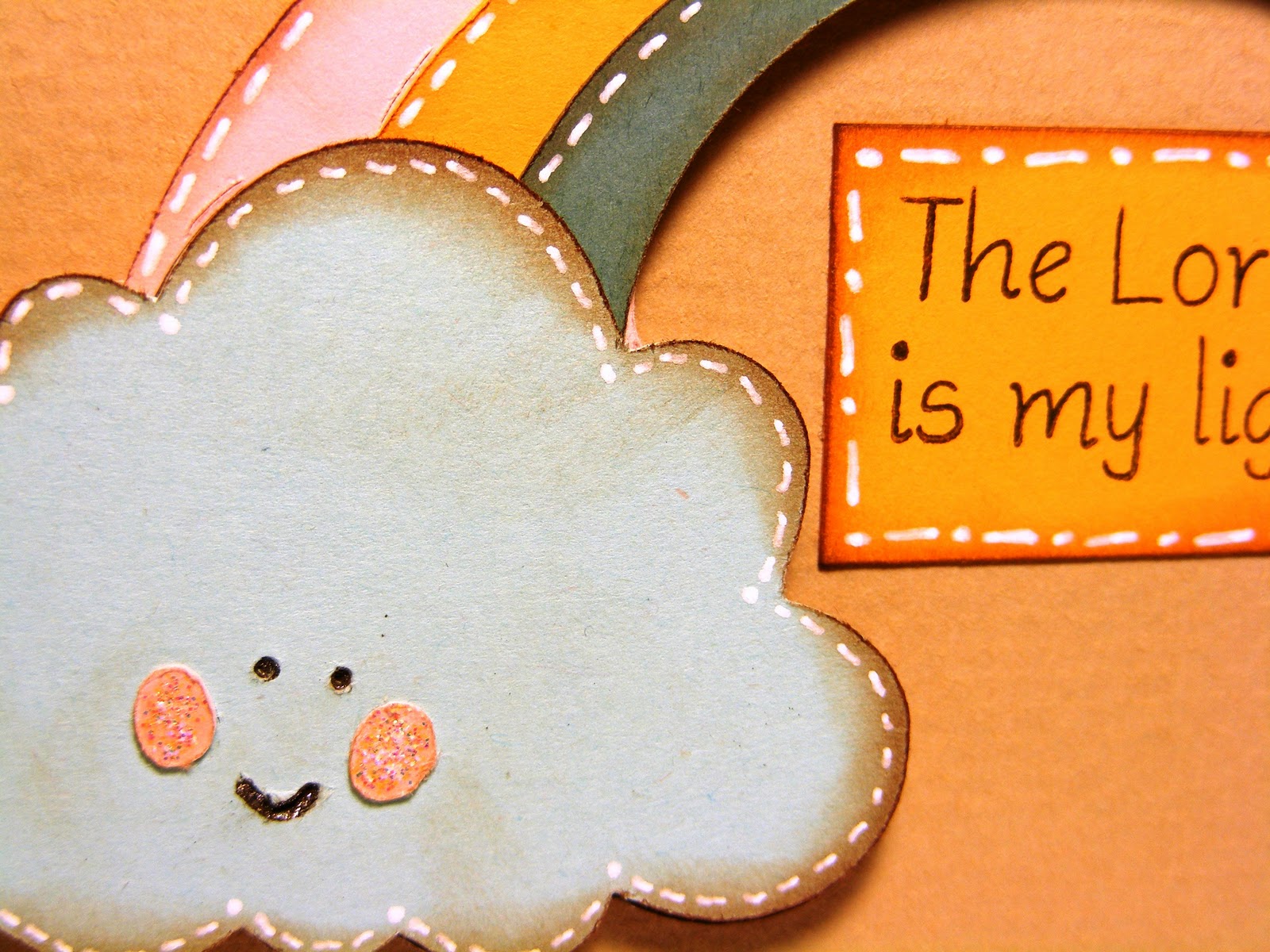
 The Lord is my light.

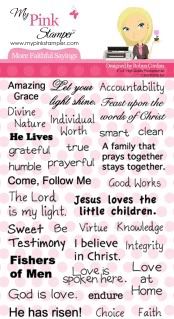
This project was to use one of Robyn (My Pink Stamper's) new stamp sets. I chose More Faithful Sayings. You can view all the MPS products HERE.

Supplies Used
Stamp- My Pink Stamper - More Faithful Sayings
Most of the Paper- PaperTrey Ink
Simply Charmed Cricut Cartridge - Button #42 - cut 3"
Inked edges - Color Box Chalk Ink - Chestnut Roan
Pen - Sakura Jelly Roll Pen
Stickles
Pop Dots

Monday, February 21, 2011

Fantabulous Cricut Challenge #48

This weeks challenge on FCCB was to Emboss something on your project. It could be any form of embossing. So I chose dry embossing with an embossing folder.


I made this jungle themed baby shower invitation. 

Supplies Used
 Create A Critter Cricut Cartridge - Monkey cut 3.5"
Stamp - Sweet Baby Set from My Pink Stamper
Embossing Folder - Checkerboard by Tim Holtz, Sizzix
Copic Marker - YR00 colored monkey's ears & cheeks 
Core'dination Paper - The Chocolate Box - Brown with Green Core
Stazon Ink - Jet Black
Pop Dots
Head over to the Fantabulous Cricut Challenge Blog (FCCB) to join this fun challenge and make your own Emboss It project.

This will be my last project, designing this term, for the FCCB. It has been so much fun sharing my projects and getting to know all of you. Robin, thank you for this opportunity. This was the first design team I have ever been on. I learned so much & was challenged in my projects. Thank you for stopping by my Simple Creations & please visit back often.


Wednesday, February 16, 2011

Guest Designer for Crafting with Cristina - Swing Card

I am so honored to be chosen as a Guest Designer for Crafting with Cristina. She inspires so many of us with techniques and videos. I love all the scrapbooking layouts she makes. If you haven't found her blog yet. Check it out HERE.

For this project I was challenged to make an interactive card. At first I wasn't sure what that meant. So I searched online and I found this awesome card called the Swing Card. This wasn't my idea. Swing cards can be found online. I found a great video tutorial at Michelle's Rubber Room. You can check out her video & design, but I am also going to share a video of how I made my card. I was so excited to shoot a video because I haven't done one in a while. Sorry, I was trying a new angle for my camera and cut out a few things, but I still included the important details.

Thank you for checking out my project today & I hope you enjoy. This is such a fun card to make.


Cricut Cuts
Sweet Treats Cricut Cartridge
Button #26 - 2" - flower, shift, layer, layer shift
Button #27 - 2" - shift, layer

Supplies
Cuttlebug- Swiss Dots Embossing Folder
Stickles- Star Dust
Stazon- Jet Black Ink
Color Box Cat Eye Ink- Rouge
Pop Dots


MPS Pinkalicious Blog hop WINNER

I am excited to announce that Random.org chose
Pam from Simply Pam  as the winner of the cherry bloom Gypsy Cover.

Thank you all for joining our blog hop. It was so much fun & so many of you left comments. I love them. I truely read all of them. I will be creating a blog post soon about why the Gypsy is a Must Have. I also want to create some videos to show how to use the gyspy, to help those who are just learning.

Check back today because I am a guest designer for Crafting with Cristina.

Monday, February 14, 2011

Winner of Fantabulous Cricut Crawl

I am excited to announce the Winner of this 
Gold Gypsy Cover from the 

Fantabulous Cricut Crawl- Share The Love is:

Snodine of Sherry's Scrapbooks & Paper
Please email me at simplecreations@live.com with your address.


I also have another Gypsy Cover give away til Wednesday, click HERE. 
Leave me a comment on that post for another chance to win.

Thank you to all my new followers. I love all comments & getting to know you,. I read everyone & get excited when I have more. I plan to make a post about why the Gypsy is a Must Have, soon.

FYI- cricutmachine.com has FREE SHIPPING today. Check it out!